1. Common Data Environment in BIM
A Common Data Environment (CDE) is a centralized repository that houses information regarding construction projects. It serves as the single source of truth for a project, used to collect, manage, coordinate, and share project information among the project team.
A Common Data Environment (CDE) is updated throughout the entire project lifecycle. This system can store information pertaining to every aspect of a project, including documents, contracts, reports, tender submissions, and model data. A CDE enhances coordination, improves security, and ensures the auditability of data across all types of construction projects. Furthermore, it helps streamline the systems and processes used both internally within a company and between the company and its supply chain.

2. BIM360
BIM360 serves as the web-based Common Data Environment (CDE) for this project and will be used for all formal project information exchanges, including the issuance of drawings, documents, models, samples, etc.
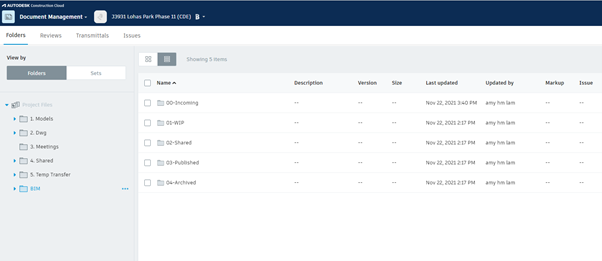
All BIM models and BIM-related documentation are stored in the “BIM” folder on the CDE:
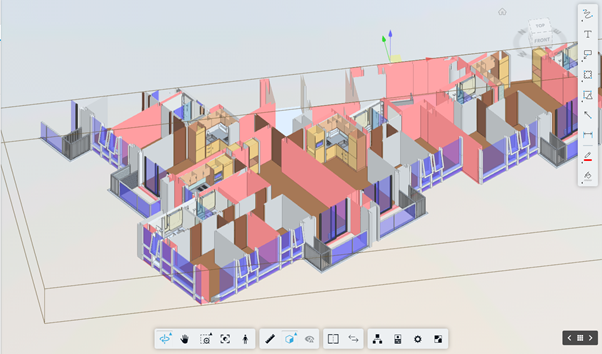
3D Model Viewer on BIM360:
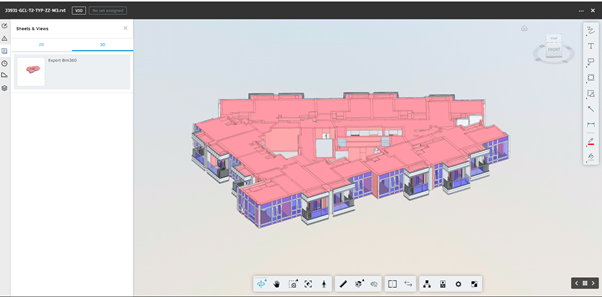
Easily use section, measure… tools to view models directly:
3. Create an RFI in BIM360
A Request for Information (RFI) is a document used during the construction process to clarify specific details required for a project. In complex construction projects, numerous RFIs are drafted and addressed to ensure that the work proceeds in accordance with the established designs, specifications, and materials.
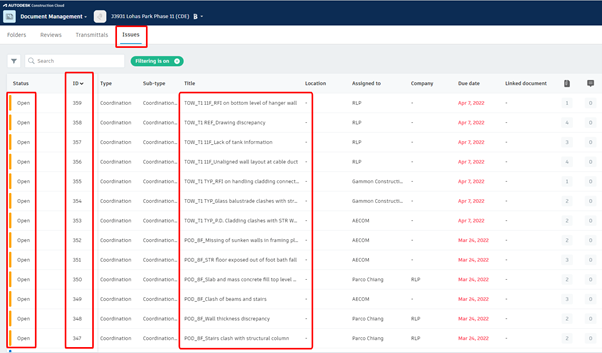
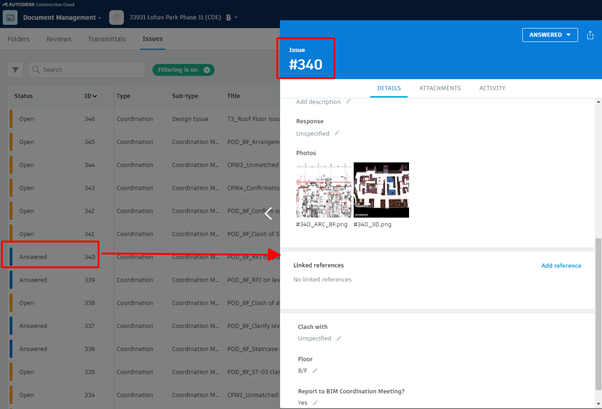
Within a project folder on BIM360, users can create Requests for Information (RFIs) under the “Issues” tab. Each RFI is automatically assigned a unique identifier (ID). The creator of an RFI is responsible for providing comprehensive information—such as a title, document location, notes, and images—while also designating the recipient and the person responsible for addressing the RFI. The assigned individual provides responses directly within the system until the RFI is resolved. Once the RFI has been addressed, its status changes from “Open” to “Answered.”
Tracking Requests for Information (RFIs) directly within a Common Data Environment (CDE) enables contractors and project owners to promptly identify issues that arise during the BIM-enabled project lifecycle, facilitating a faster and more objective approach to developing solutions.